
A receipt turned black problem can be frustrating when you need the receipt for a return, warranty, reimbursement, business expense, or proof of purchase. In some cases, part of the information may still be readable, while a heavily damaged receipt may become almost completely black.
Why Did My Receipt Turn Black?
The main reason a receipt turned black is usually the type of paper used by the printer.
Many retail receipts are printed on thermal paper. Thermal paper has a special chemical coating that reacts to heat. The printer creates text by heating specific areas of the paper.
This means the paper remains sensitive to heat after printing.
When the entire receipt is exposed to enough heat, areas that were originally white can also become dark. As a result, the receipt paper turns black, gray, brown, or heavily discolored.
Common causes include:
- High temperatures
- Direct sunlight
- A hot car
- Contact with a heater
- Hot electronic devices
- Friction and pressure
- Certain chemicals
- Poor storage
- Long-term environmental exposure
If your receipt turned black after being somewhere hot, heat exposure is one of the first things you should consider.
Table of Contents
What Is Thermal Receipt Paper?
Thermal receipt paper is different from ordinary printer paper.
A conventional printer generally uses ink or toner to create an image. A thermal printer uses heat to activate a special coating on the paper.
When you receive a store receipt, the black text you see is usually the result of this heat-sensitive printing process.
This explains why a black thermal receipt can develop even without ink spilling on it. The darkness is related to the paper’s chemical coating rather than conventional ink.
Thermal printing is useful because it allows businesses to print quickly without replacing ink cartridges. However, the trade-off is that thermal receipts can be sensitive to heat, light, friction, and certain environmental conditions.
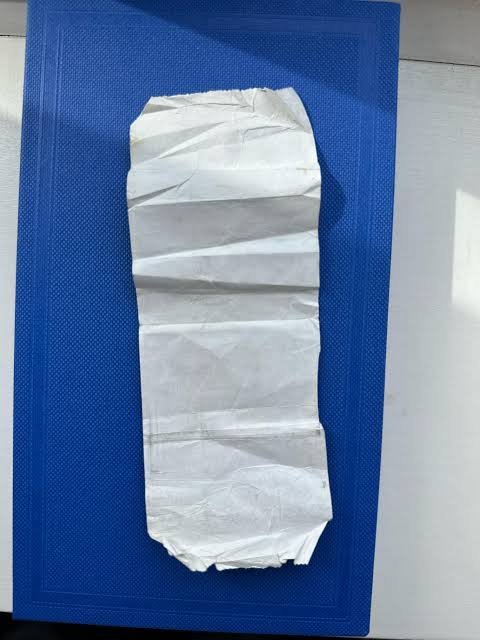
9 Common Reasons a Receipt Turned Black
1. The Receipt Was Left in a Hot Car
A hot car is one of the most common situations in which a receipt turned black.
When a vehicle sits in sunlight, the interior can become much hotter than the outside environment. A receipt left on the dashboard, inside a glove compartment, or in another warm area can therefore be exposed to conditions that affect thermal paper.
The damage may happen gradually or relatively quickly depending on the temperature and duration of exposure.
If you have an important receipt, avoid leaving it in your car. Take it with you and store it somewhere cooler.
2. Direct Sunlight Affected the Receipt
Another reason a receipt turned black may be prolonged exposure to sunlight.
Sunlight can contribute to thermal-paper deterioration, while the heat associated with direct sunlight can further affect the paper’s coating.
A receipt sitting near a sunny window may gradually change appearance. If it is placed somewhere that receives strong sunlight for a long time, the printed information can become difficult to read.
For important receipts, a dark storage location is generally preferable.
3. The Receipt Touched a Hot Surface
Sometimes a receipt turned black only in one particular area.
You might see a dark circle, stripe, or patch on the paper. This can happen when part of the receipt touches a hot object.
For example, a receipt might accidentally come into contact with:
- A heating appliance
- A warm countertop
- A hot electronic device
- A radiator
- Another heated surface
If only one area of your receipt is black, localized heat may explain the pattern.
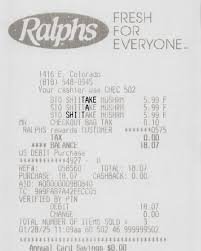
4. The Receipt Was Exposed to a Heater
Thermal paper can react to prolonged exposure to heat from heaters and similar equipment.
Keeping receipts next to a radiator, room heater, or other heat source can cause the paper to become darker.
If your receipt turned black while stored indoors, think about where it was kept. It does not have to be exposed to direct sunlight to experience heat damage.
5. Friction Damaged the Thermal Coating
Heat is not the only possible cause.
A receipt stored in a wallet, purse, pocket, or crowded drawer can experience repeated rubbing and pressure. Friction can affect the surface of thermal paper and make printed information deteriorate.
Folding the receipt repeatedly can also physically damage the paper.
If you regularly carry receipts in your wallet, consider photographing important ones and keeping the digital copies separately.
6. Chemicals Came Into Contact With the Paper
Some chemicals and materials can affect the coating used on thermal paper.
A receipt may become discolored after contact with certain substances. The exact reaction depends on the type of thermal paper and the material involved.
For this reason, you should not try to clean a black receipt with household cleaners, solvents, or other liquids.
If your receipt turned black after coming into contact with another substance, chemical exposure could be one possible explanation.
7. The Receipt Was Stored in a Warm Location
A receipt does not necessarily need to touch a heater to become damaged.
A warm drawer, enclosed container, vehicle, or other poorly ventilated location can expose thermal paper to elevated temperatures for an extended period.
Long-term storage under unfavorable conditions can gradually change the appearance of a receipt.
For important documents, choose a cool, dry, and protected storage location.
8. The Receipt Is Old
Sometimes there is no single event that explains why a receipt turned black.
Thermal paper can deteriorate over time. Temperature, light, humidity, handling, and storage conditions can all affect how long printed information remains readable.
Older receipts may become faded, gray, yellowish, stained, or dark.
This is particularly important if you keep receipts for warranties or financial records for long periods.
9. The Receipt Was Accidentally Heated
A receipt can also be damaged accidentally.
It might have been placed near a kitchen appliance, left inside a bag exposed to heat, or subjected to another unusual temperature source.
The important thing is not to apply more heat while trying to fix it.
Can You Fix a Receipt That Turned Black?
If a thermal receipt is completely black, there is usually no reliable way to restore it to its original condition.
The reason is simple: the heat-sensitive coating has already changed. The black appearance is not ordinary dirt that can simply be wiped away.
If only some of the receipt is dark, you may still be able to preserve readable information.
Try photographing the receipt using different lighting conditions. A phone camera may capture details that are difficult to see with the naked eye.
You can also adjust brightness, contrast, or exposure on a copy of the photograph. This may make faint information easier to recognize, but it does not actually repair the paper.
Do Not Use More Heat
If your receipt turned black, avoid online tricks that tell you to heat the receipt to reveal hidden information.
Thermal paper responds to heat. Applying additional heat can make the paper even darker.
Do not use:
- Hair dryers
- Clothes irons
- Heaters
- Hot water
- Heated plates
- Open flames
- Direct sunlight
Trying to fix a black thermal receipt with heat can permanently destroy information that is still visible.
What to Do If Your Receipt Turned Black
If the receipt is important, don’t throw it away immediately.
Take Clear Photos
Photograph the entire receipt as soon as possible.
Take several pictures from different angles and under different lighting. If there are still visible numbers, dates, prices, product names, or transaction details, preserve them digitally.
Contact the Store
If you need the receipt for a return or warranty, contact the retailer.
Explain that the original thermal receipt has become unreadable. Depending on the retailer’s systems and policies, the transaction may be searchable using information such as:
- Purchase date
- Purchase amount
- Store location
- Payment method
- Order number
- Customer or loyalty account
Some businesses may be able to provide another copy, while others may have different requirements.
Search Your Email
If you purchased something online or received an electronic receipt, search your email.
Useful search terms include the retailer’s name, order number, purchase date, or approximate purchase amount.
A digital receipt can be much easier to preserve than thermal paper.
Check Your Online Purchase History
If you purchased the product through a retailer’s website or app, check your account.
Order histories can sometimes provide details that are no longer readable on a physical receipt.
Keep Payment Records
Your bank or card transaction history may help establish that a purchase occurred.
However, payment records generally do not provide all the product-level information found on a detailed store receipt. Use them as supporting information rather than assuming they are always an exact replacement.
How to Prevent a Receipt From Turning Black
Preventing a receipt turned black problem is much easier than trying to recover damaged thermal paper.
Keep Receipts Away From Heat
Store receipts somewhere cool and away from heaters, radiators, hot appliances, and other heat sources.
Do not leave important receipts inside a hot vehicle.
Avoid Direct Sunlight
Keep thermal receipts away from prolonged direct sunlight. A drawer, filing cabinet, or other protected location is usually better.
Keep Receipts Flat
Avoid repeatedly folding, crushing, or rubbing receipts.
For important documents, keeping the paper flat can reduce unnecessary physical wear.
Create Digital Copies
This is one of the best ways to protect important purchase information.
After buying an expensive product, take a clear photograph or scan of the receipt. Store the digital copy somewhere you can access later.
Consider creating backups for especially important receipts.
What If Only Part of the Receipt Turned Black?
A partially black receipt may still contain useful information.
For example, the top portion might be dark while the lower section remains readable. In this situation, photograph the entire receipt before handling it further.
If the receipt contains important information, don’t try to remove the dark portion or aggressively rub the paper.
Preserve the original and work with a digital photograph instead.
Why Did My Receipt Turn Black in My Wallet?
If your receipt turned black in a wallet, several factors could be involved.
The receipt may have been exposed to body heat, friction, pressure, repeated folding, or other materials stored in the wallet.
However, the wallet itself is not necessarily the direct cause. If the wallet was kept in a hot vehicle or another warm environment, heat may have been the primary factor.
The exact cause cannot always be determined simply by looking at the receipt.
Why Did My Receipt Turn Black in My Car?
If your receipt turned black in your car, excessive heat is a likely explanation.
Vehicles can become very warm when exposed to sunlight, and thermal paper is particularly sensitive to heat.
A receipt on the dashboard can be especially vulnerable because it may receive direct sunlight while sitting on a surface that becomes hot.
If you need to keep a receipt for a return, warranty, or expense record, take it out of the car rather than leaving it there.
Can You Preserve a Thermal Receipt Long-Term?
You can reduce the chance of damage, but there is no guarantee that thermal paper will remain readable indefinitely.
The best approach is to protect the original while also keeping a digital backup.
For valuable purchases, record:
- Retailer name
- Purchase date
- Product name
- Purchase price
- Receipt number
- Order number
- Warranty information
Keeping these details together with a digital receipt can make future returns or warranty claims easier.
Frequently Asked Questions
Why did my receipt turned black?
The grammatically correct question is “Why did my receipt turn black?” A common reason is heat exposure because many receipts use heat-sensitive thermal paper.
Why did my receipt turn black after being in my car?
A receipt turned black after being in a car is often related to heat. Vehicle interiors can become very warm, especially when exposed to direct sunlight.
Can a black receipt be restored?
A completely black thermal receipt usually cannot be reliably restored. If some text remains visible, photographing it under different lighting may help preserve the information.
Will a hair dryer fix a black receipt?
No. A hair dryer adds heat, which can make thermal paper darker. If your receipt turned black, avoid applying additional heat.
Can sunlight make a receipt black?
Prolonged sunlight can contribute to thermal-paper deterioration, while the associated heat can also cause darkening.
How should I store thermal receipts?
Keep them in a cool, dry, protected place away from direct sunlight, excessive heat, friction, pressure, and potentially reactive substances.
What should I do if my black receipt is needed for a warranty?
Photograph any readable information, check your email and online purchase history, and contact the retailer. They may be able to locate the transaction or provide another record depending on their policies.
Why did my receipt turn black in my wallet?
Friction, pressure, heat, folding, or contact with other materials can contribute to thermal receipt damage. If the wallet was kept somewhere hot, temperature may have played a major role.
Should I throw away a receipt that turned black?
Not immediately if it is important. Keep the original, photograph any readable information, and contact the retailer if you need proof of purchase.
Final Thoughts
If your receipt turned black, heat exposure is one of the first causes to investigate, particularly when the receipt is printed on thermal paper. A hot car, direct sunlight, heater, hot surface, friction, chemicals, and unsuitable storage can all contribute to receipt damage.
A completely black thermal receipt is usually not something you can safely restore at home. Avoid adding heat or chemicals because these methods can make the remaining information harder to recover.
Instead, photograph the receipt, preserve any readable details, and contact the retailer if you need a replacement or proof of purchase. For important receipts, creating a digital copy immediately after purchase is the simplest way to protect your information for the future.